How to open FB2 files on a PC
Updated 3 October 2026
An FB2 file is an ebook, but double-clicking it on Windows or a Mac usually gets you nothing, or a page of code. Here is what the format is and three free ways to read it.
What is an FB2 file?
FB2 (FictionBook 2) is an ebook format built on XML. It is the usual format for books in Russian, Ukrainian and other Eastern European languages, and many free libraries offer it next to EPUB. An .fbz or .fb2.zip file is the same book, zipped.
Windows, macOS and ChromeOS come with no FB2 reader. Word and the browser show it as code, and Apple Books doesn't accept it. You need a reader that understands the format.
Way 1: read FB2 in your browser with Readkave
Readkave is a free Chrome extension that opens FB2, FBZ, EPUB, MOBI, AZW3 and CBZ in a browser tab. Nothing is uploaded: the book is stored in your browser and opens offline.
- Add Readkave to Chrome (also works in Edge and Brave).
- Click the Readkave icon in the toolbar. Your library opens.
- Drag the .fb2 or .fbz file into the library, or click Add books. One book opens straight away.
- Read: click or use the arrow keys to turn pages. The contents, search, bookmarks and settings are in the top bar.
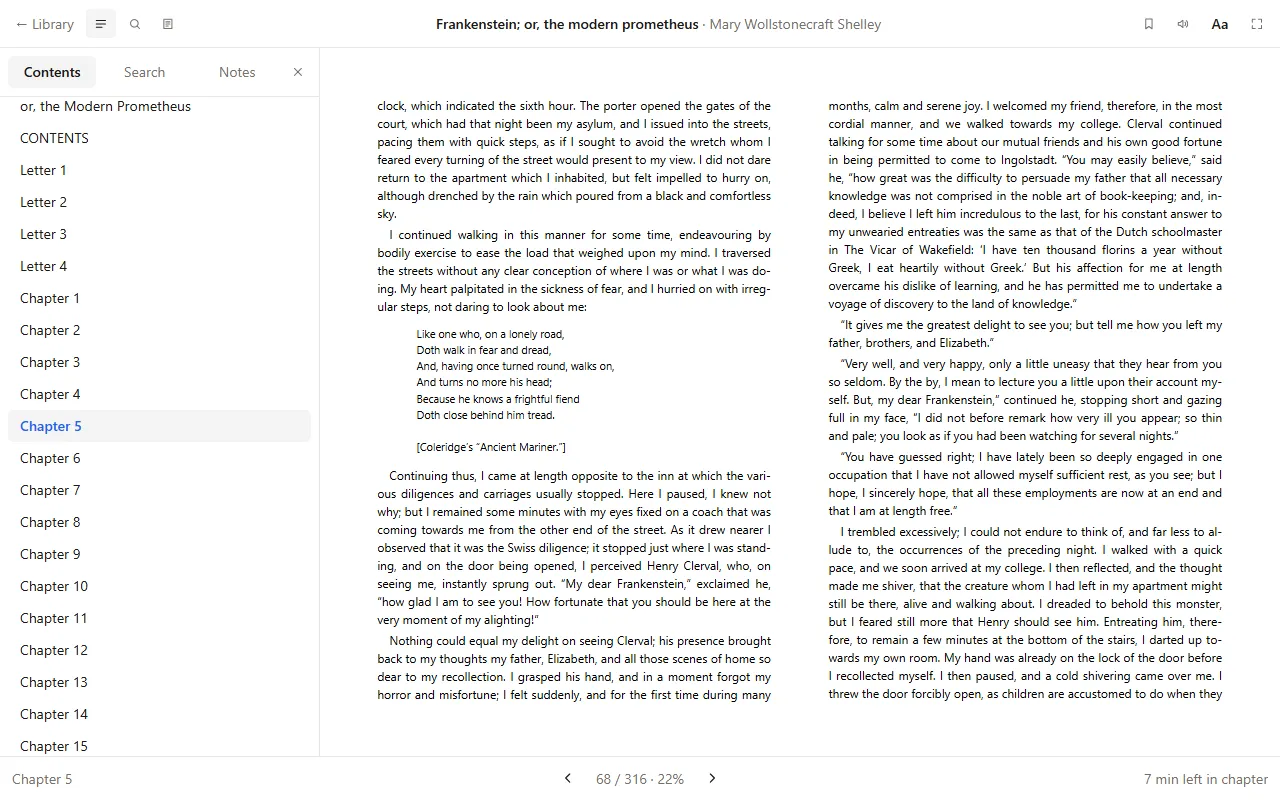
Older FB2 files saved in the Windows-1251 encoding open correctly, as long as the file says so in its first line, as FB2 files normally do. Poems, epigraphs and footnotes are kept.
To open books from a website without saving them first, right-click the link and choose Open in Readkave. To make downloaded books open in the reader by themselves, turn on Open ebook files in Readkave in the library's Settings.
Way 2: a desktop reader
Calibre (free, Windows, macOS and Linux) has a viewer that opens FB2, and it manages large collections. FBReader was made for this format and also opens it. Both are programs you install, with their own libraries.
Way 3: convert FB2 to EPUB
If you want to use Apple Books, Google Play Books or a Kindle, convert the book to EPUB with Calibre first (Convert books → output format EPUB). Conversion usually works, but poems, tables and footnotes can lose their layout, so check a few pages.
Which one to choose
| Readkave | Calibre | Convert to EPUB | |
|---|---|---|---|
| Install | Browser extension | Desktop program | Calibre plus another reader |
| Windows, Mac, Linux | Yes | Yes | Yes |
| Chromebook | Yes | No | Depends on the reader |
| Highlights, notes, read aloud | Yes | Highlights and notes | Depends on the reader |
| Book manager, editing, conversion | No | Yes | – |
Questions
Can I read FB2 on a Kindle?
Not directly: Kindles don't support FB2. Convert it to EPUB and send it with Amazon's Send to Kindle, which accepts EPUB.
Is my book uploaded anywhere?
Not with Readkave or Calibre. Some "online FB2 reader" websites do upload the file to their server, so check before you use one for private documents.
Does it work offline?
Yes. Once a book is in Readkave's library it opens without an internet connection.
More about reading FB2 in Readkave: FB2 reader for Chrome.
Open your FB2 book in Chrome in a few seconds.
Add to Chrome — freeWorks in Chrome, Edge, Brave and other Chromium browsers, and on Chromebooks. No account; your books stay on your computer.