How to read AZW3 files without a Kindle
Updated 3 October 2026
AZW3 is a Kindle file, but you don't need a Kindle to read one, as long as it isn't locked to your Amazon account.
What is an AZW3 file?
AZW3 (also called KF8) is the newer Kindle format, with better layout support than MOBI. You get AZW3 files from Calibre conversions, from some publishers and free libraries, and as downloads of books you bought from Amazon.
First check: is the book protected?
- DRM-free AZW3 (converted by you, from a free library, from a publisher selling without DRM): any AZW3 reader opens it, including Readkave in Chrome.
- Bought from the Kindle store: usually protected with DRM and tied to your Amazon account. Read it in the Kindle app for Windows, Mac, phones or on read.amazon.com. No other reader can open it.
Read DRM-free AZW3 in Chrome
- Add Readkave to Chrome (free).
- Click the Readkave icon and drop the .azw3 file into the library, or use Add books.
- Read with page turns or scrolling, search the whole book, highlight and take notes.
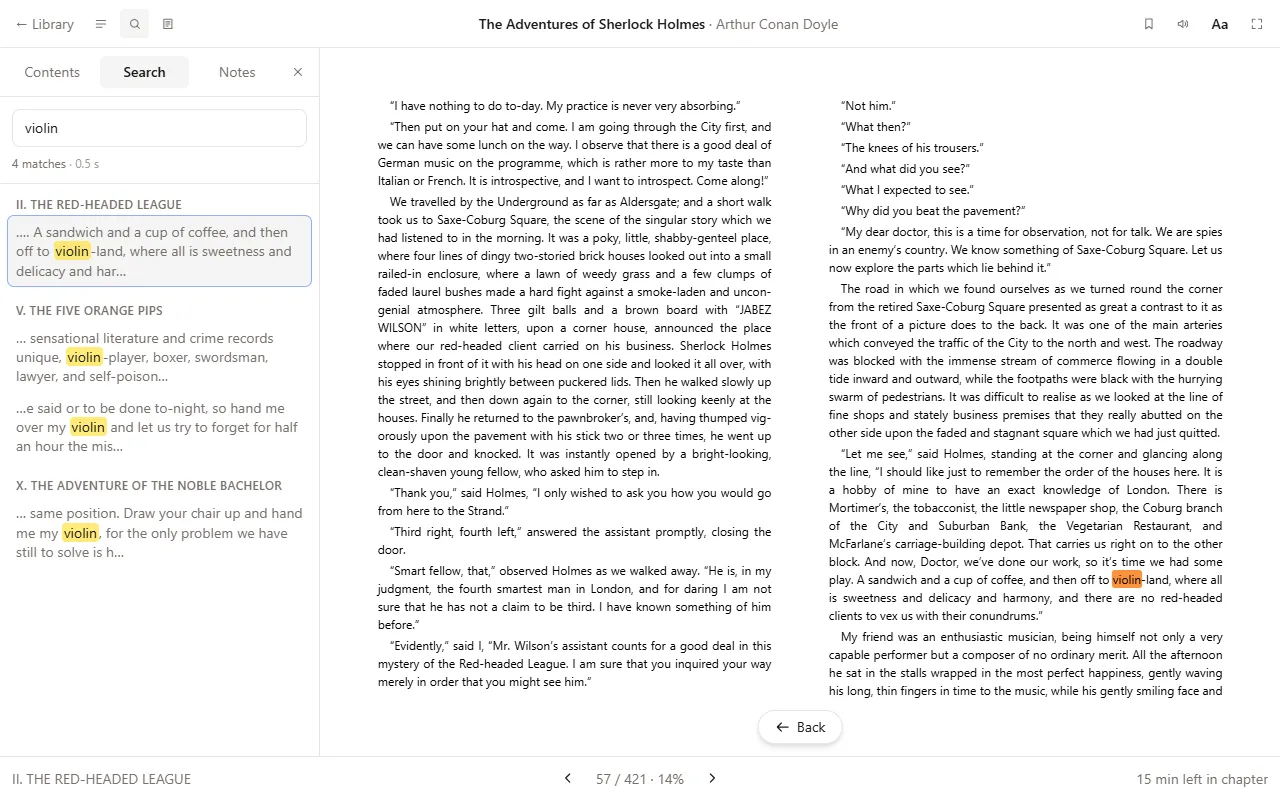
It works the same on Windows, macOS, Linux and Chromebooks, offline, with nothing uploaded.
Other ways
Calibre opens and converts DRM-free AZW3. To read the book in Apple Books or Google Play Books, convert it to EPUB first.
More about Kindle formats in Readkave: MOBI and AZW3 reader for Chrome.
Open AZW3 books in Chrome, no Kindle needed.
Add to Chrome — freeWorks in Chrome, Edge, Brave and other Chromium browsers, and on Chromebooks. No account; your books stay on your computer.