An EPUB reader for Chromebook
Updated 3 October 2026
Double-click an .epub file in the Chromebook's Files app and nothing useful happens: ChromeOS has no ebook reader. These are your choices.
Option 1: Readkave, a reader in a browser tab
Readkave is a free Chrome extension, so it runs on any Chromebook. Books stay on the device and open offline.
- Add Readkave to Chrome.
- Click the Readkave icon to open your library.
- Open the Files app and drag your .epub (or .mobi, .azw3, .fb2, .cbz) files into the library, or click Add books and pick them.
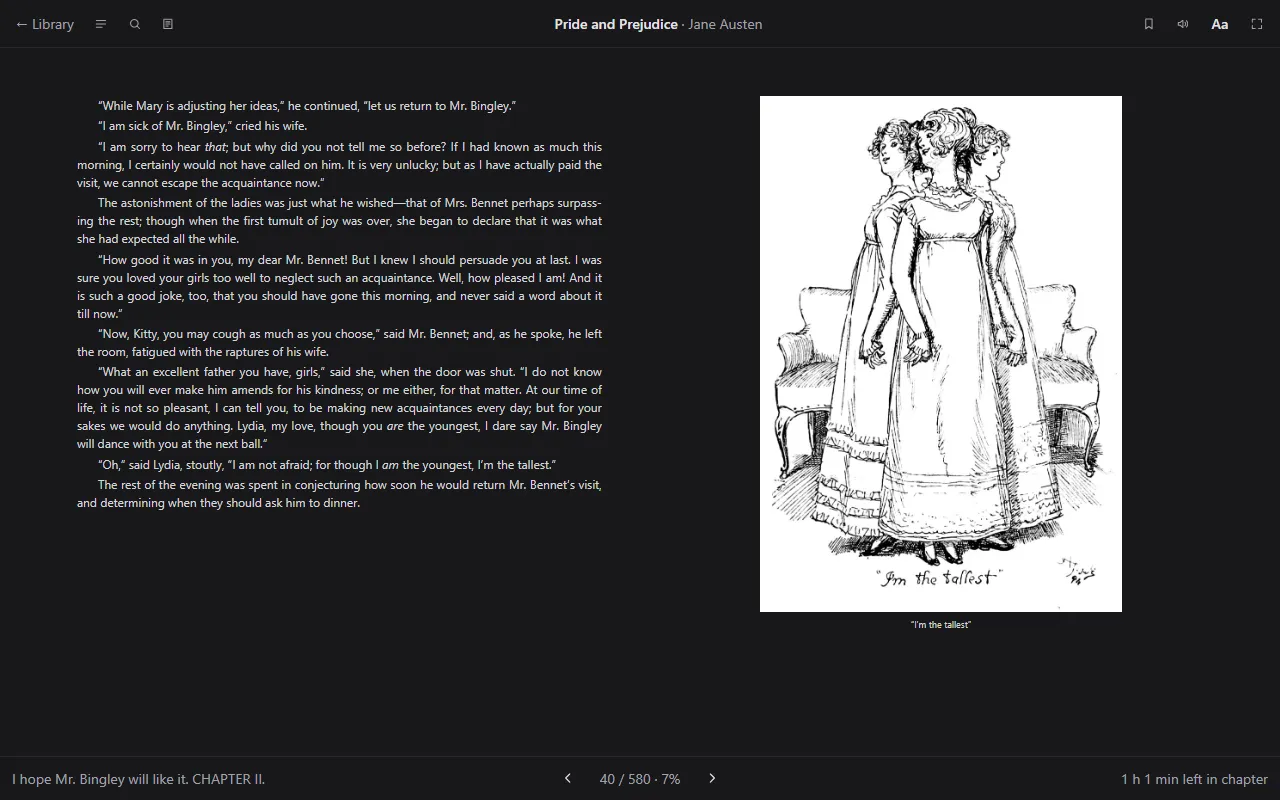
On a laptop keyboard: arrow keys or Space turn pages, Ctrl+F searches the book, Ctrl+B opens the contents, G goes to a page and ? lists every shortcut. Fullscreen hides everything but the book.
Option 2: Google Play Books
Play Books lets you upload your own EPUB and PDF files and syncs your place across devices. Your books are uploaded to your Google account, and it does not read MOBI, AZW3 or FB2.
Option 3: an Android reader app
Chromebooks that run Android apps can install a reader from Google Play. Those apps are made for phones, so their layout and keyboard support on a laptop screen vary.
Comparison
| Readkave | Play Books | Android app | |
|---|---|---|---|
| EPUB | Yes | Yes | Yes |
| MOBI, AZW3, FB2, CBZ | Yes | No | Depends on the app |
| Books stay on the device | Yes | No, uploaded | Usually |
| Sync between devices | Not yet | Yes | Depends on the app |
| Works offline | Yes | Downloaded books | Usually |
More about reading EPUB in Readkave: EPUB reader for Chrome.
Turn your Chromebook into an ebook reader.
Add to Chrome — freeWorks in Chrome, Edge, Brave and other Chromium browsers, and on Chromebooks. No account; your books stay on your computer.